
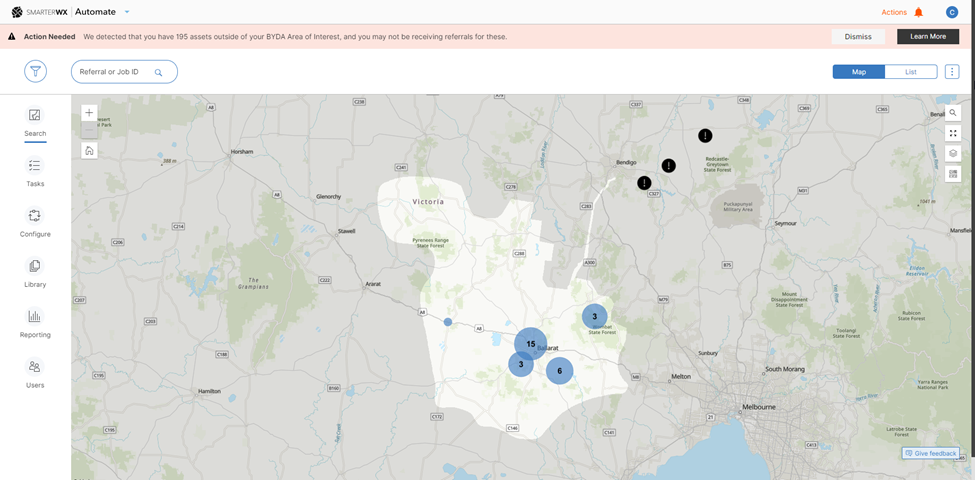
The Asset Protection Alerts feature uses the Area of Interest (AOI) in the BYDA service and compares it with the map data uploaded in SmarterWX Automate. If the map asset layer is not contained within the BYDA service AOI, a notification will be generated within the application. This feature helps users visualise any unprotected assets in the SmarterWX Automate search map and encourage user to take the necessary actions either updating the map data or AOI in BYDA.
How to configure asset protection alerts?
To configure asset protection alerts, please reach out to our support team at support@esriaustralia.com.au.
Email notification
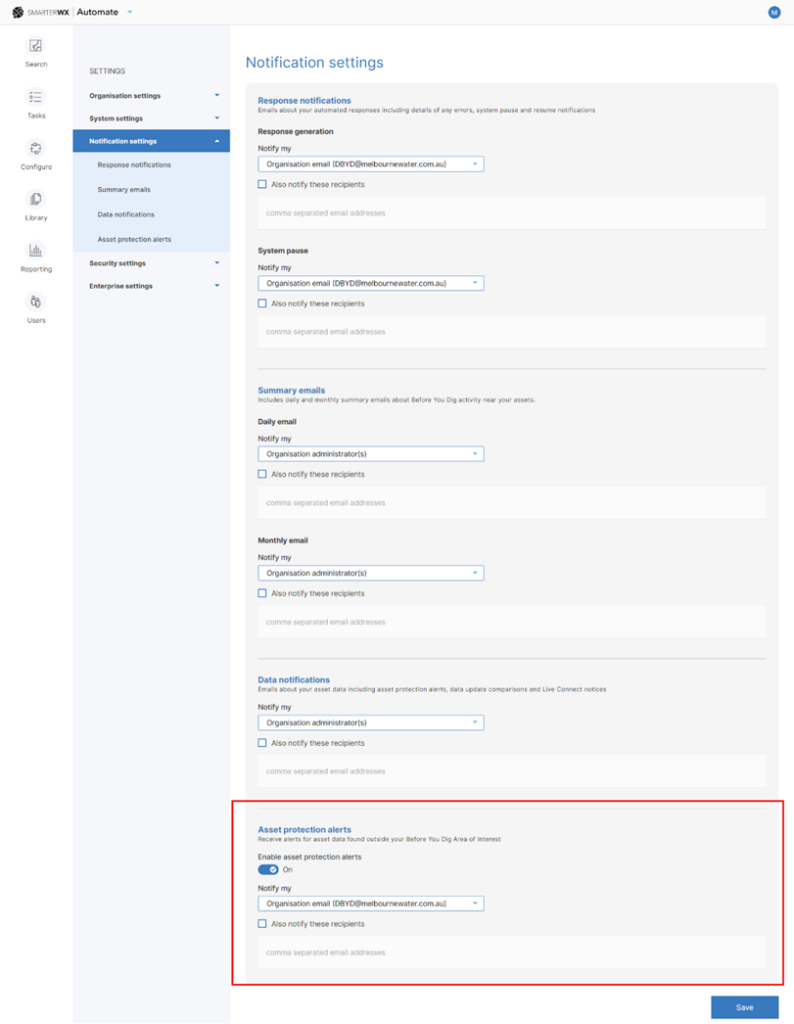
Once this feature is enabled, a new section called “Asset protection alerts” will appear under the Notification settings menu. Users can select recipients for any emails related to asset protection alerts.
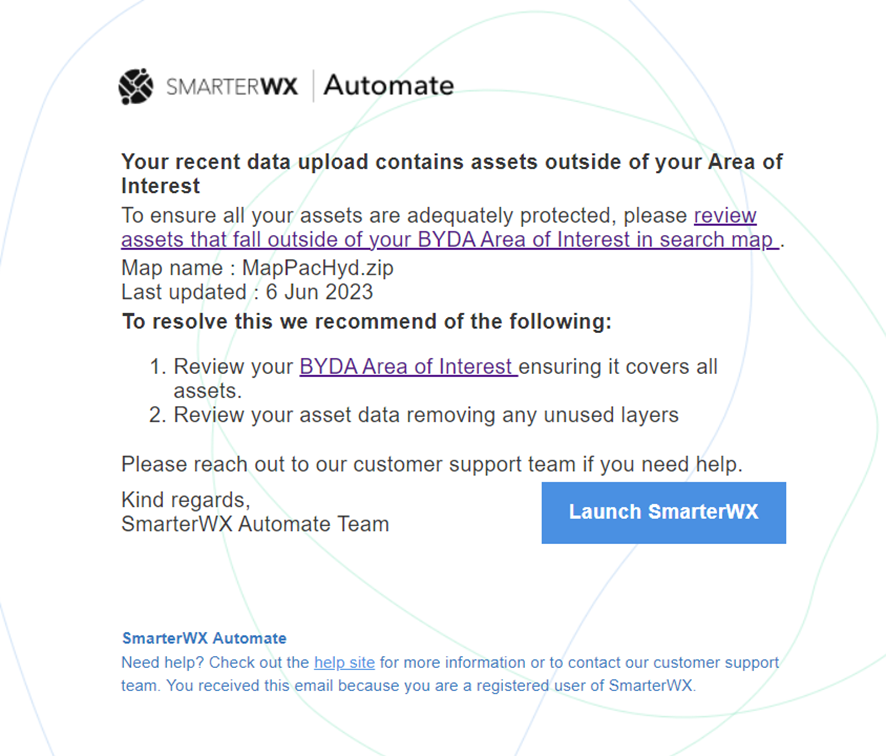
You will receive an email notification if your recent AOI changes or map uploads include assets that are not within the coverage.
What should I do next?
If you receive an alert about unprotected assets, the asset owner must perform one of the following actions to ensure full protection of asset data in the BYDA referral service.
Option 1: Upload new map data
- Review the asset data configured in the map and remove any irrelevant assets to be protected.
- Contact our support team to upload new map data.
Option 2: Update new AOI in Sentinel
Expand the coverage of the AOI within the BYDA application -> Referral Handling section to ensure all asset layers are contained within the area of interest.
Note: Once the AOI is updated in BYDA, the changes will not be reflected in SmarterWX Automate immediately. Please allow one day for the latest AOI to sync into SmarterWX Automate.