
SmarterWX Automate supports viewing referrals and responses in a tabular list view format. This provides an alternative to map view for users who want to sort and filter a list, then confirm the location on a map.
Referral list
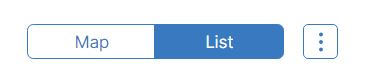
The referral list contains all referrals that have been received into SmarterWX Automate from BYDA NextGen. The referral list can be accessed via the top ribbon by selecting the ‘List’ option. This loads the referral list.
The referral list includes these columns:
- Referral – the sequence and job number for the enquiry
- Date lodged – the date and time the enquirer lodged their enquiry
- Address – the location of the enquirer’s dig site
- Enquirer – the enquirer’s name and contact email.
Select a referral to view full details, including activity type, dig dates, and information about any activities including responses sent.
Response history
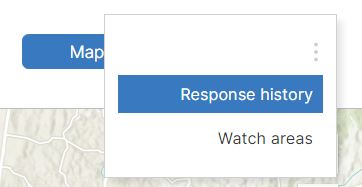
The response history contains all responses sent to enquirers and is sorted by response sent date. The response list can be accessed via the top ribbon overflow menu, selecting the ‘Response history’ option.
The response history includes these columns:
- Referral – the sequence number and outcome for the response
- Sent – the date and time the response was sent to the enquirer
- Enquirer – the enquirer’s name and contact email
- Status – the delivery status of the response – live from BYDA NextGen.
Select a response to view full details, including response email, attachments, and any asset plans that were prepared and sent.