
The “Mark as resolved” feature allows you to manually clear exceptions that cannot be retried, helping you keep your Exception Center clean and up to date.
Why use this?
Some exceptions—such as delivery failures—cannot be retried automatically. Previously, these remained in your Exception Center for up to 28 days, which could create clutter and make it harder to focus on active issues.
How to mark exceptions as resolved
1. Navigate to Exception Center in SmarterWX Automate.
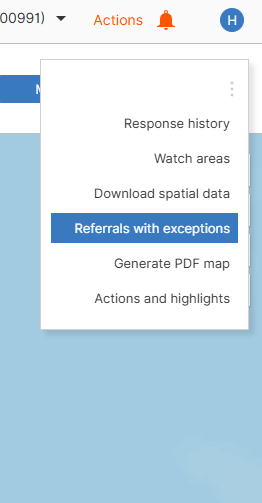
2. Select one or more exception(s) you want to clear.
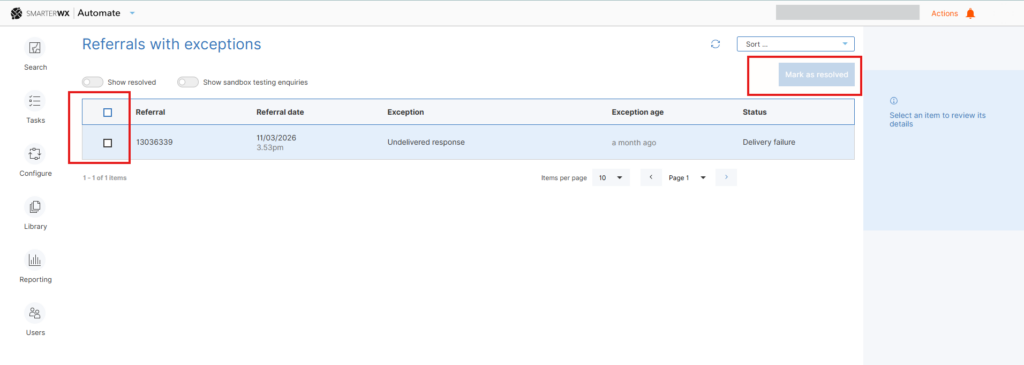
3. Click Mark as resolved (top right of the table) and confirm your action when prompted.
Upon confirmation, the selected exceptions are removed from the listing. Resolved exceptions are not deleted — you can still view them by enabling the Show resolved toggle.