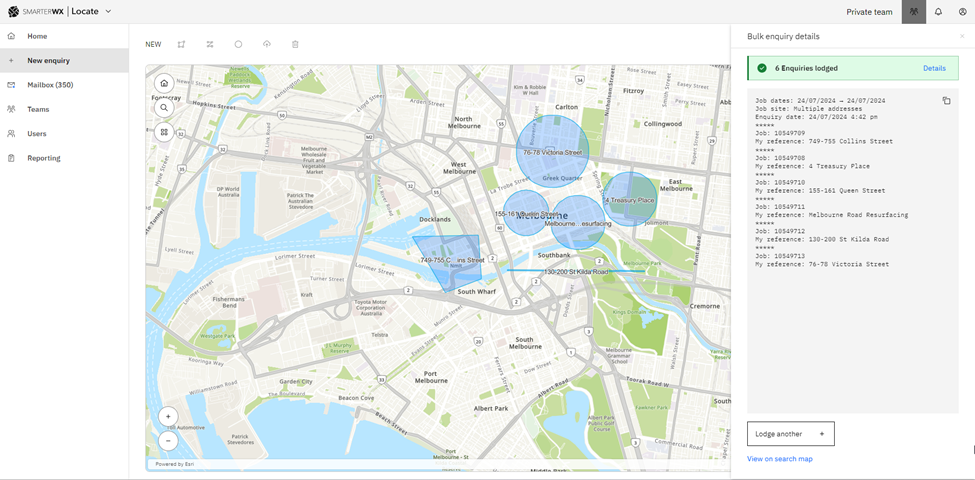
If you have purchased the Create API feature from BYDA, you can create enquiries using SmarterWX Locate. For more information on purchasing this feature, please visit BYDA.
For large projects covering extensive areas, SmarterWX Locate offers a bulk create enquiries mode, streamlining the process of lodging multiple enquiries to ensure underground safety.
This feature requires access to the BYDA Create Enquiry API. This is available to both BYDA members and non-members on request. To request access to the create enquiry API please submit your details here.
There are two approaches to lodge bulk enquiries quickly:
Approach 1: Upload Shapefile
1. Navigate to “New enquiry” module
- Open the SmarterWX Locate application and go to the “New Enquiry” module.
- Find and click the “Upload Shapefile” button.
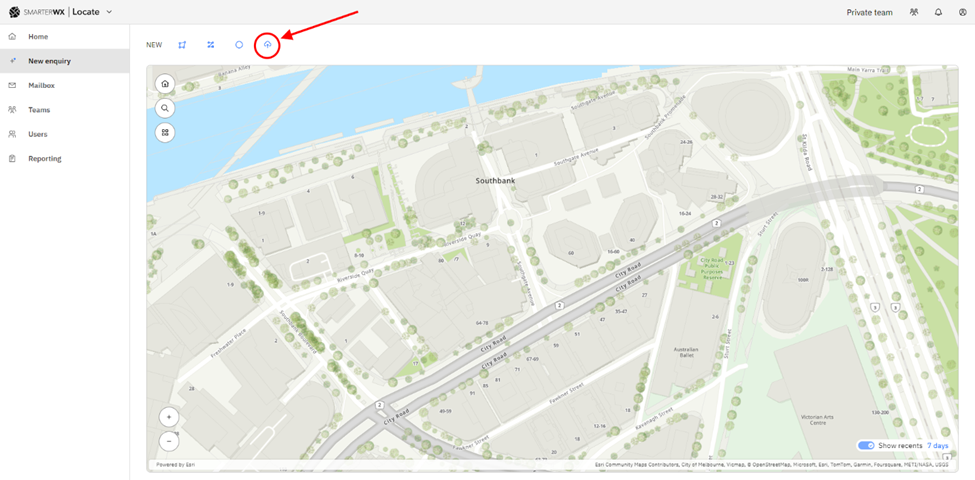
2. Upload your shapefile as ZIP file
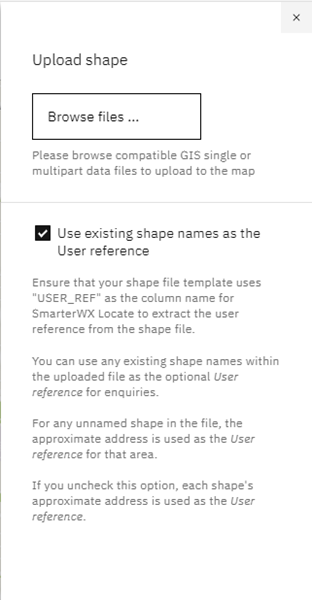
Optional: To pre-load the user reference field for each dig site, ensure you select the checkbox shown in the interface. Your shapefile must include an attribute named “USER_REF” to store the user reference name for each dig site.
3. Review the uploaded shape
- After uploading, the shape
swith user references will be displayed in SmarterWX Locate.
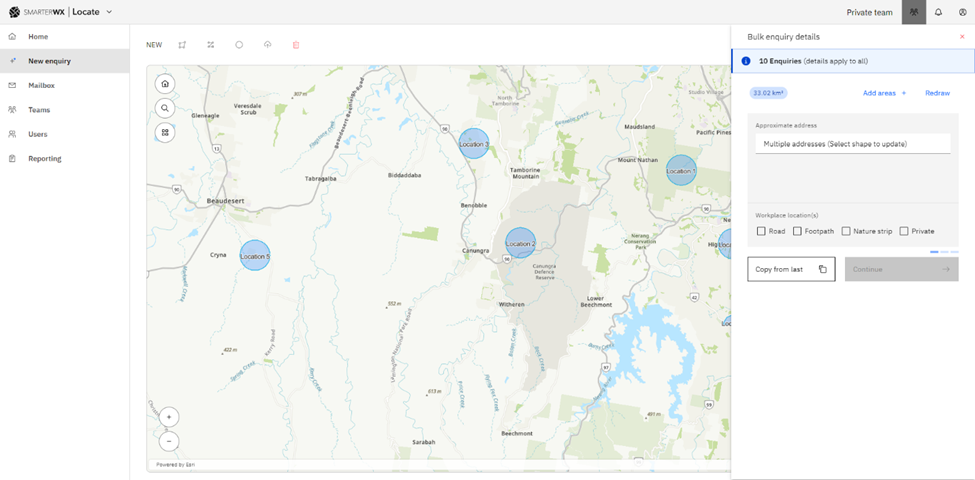
- Fill in the BYDA enquiry form and lodge the enquiry. The details of the bulk enquiry will be displayed as shown below:
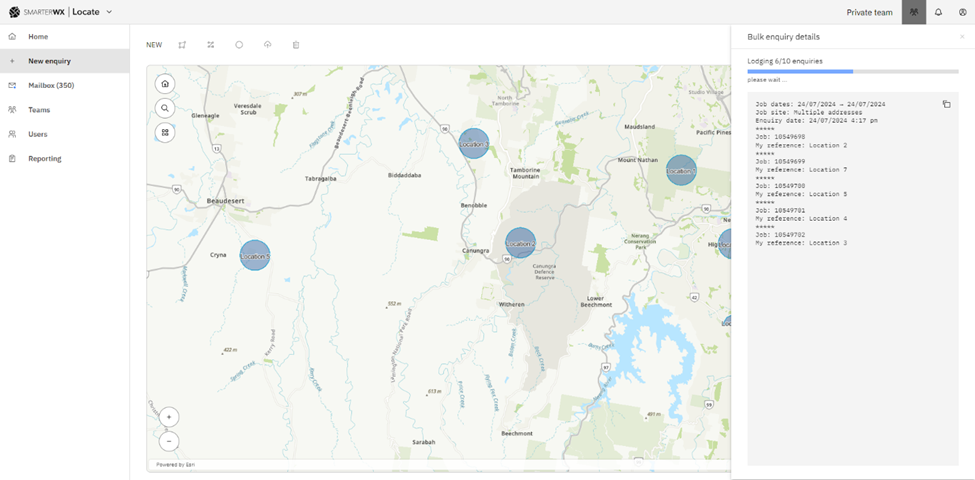
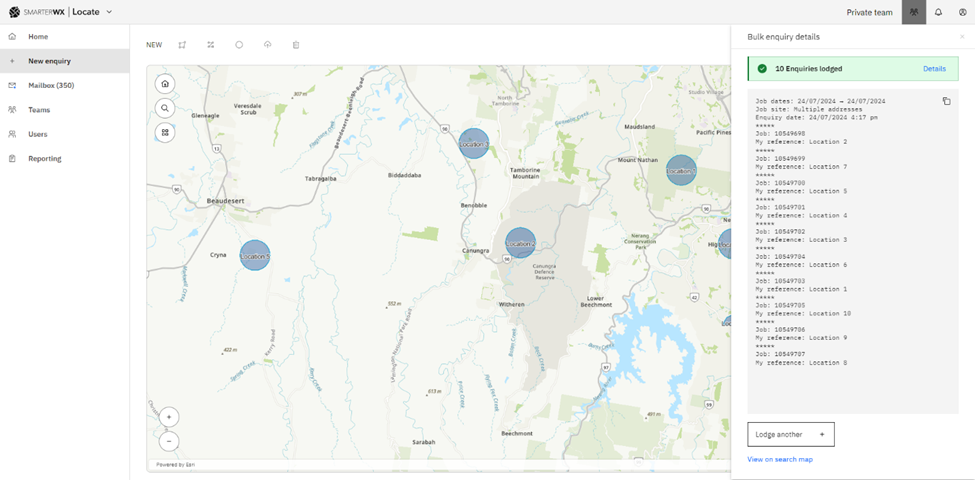
Approach 2: Rapid sketching
An alternative way of lodging bulk enquiries, SmarterWX Locate allows you to draw multiple dig site polygons before submitting your enquiry.
1. Draw the first polygon as normal
2. Click on the “Add Areas” button to continue adding subsequent polygons
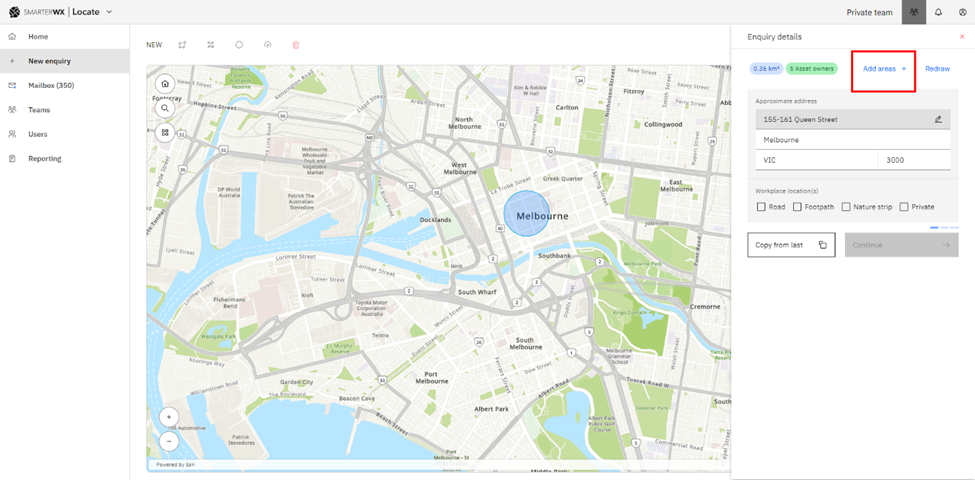
Finish Drawing – Once all your shapes are drawn on the map, click on “Finished Drawing.”
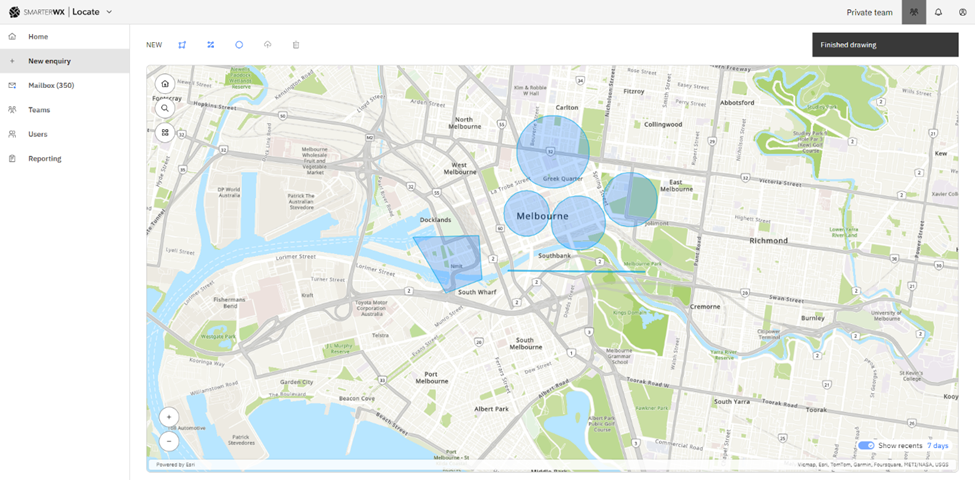
3. Refine specific dig sites – to refine a specific dig site (e.g., update the user reference), click on the polygon and update the details.
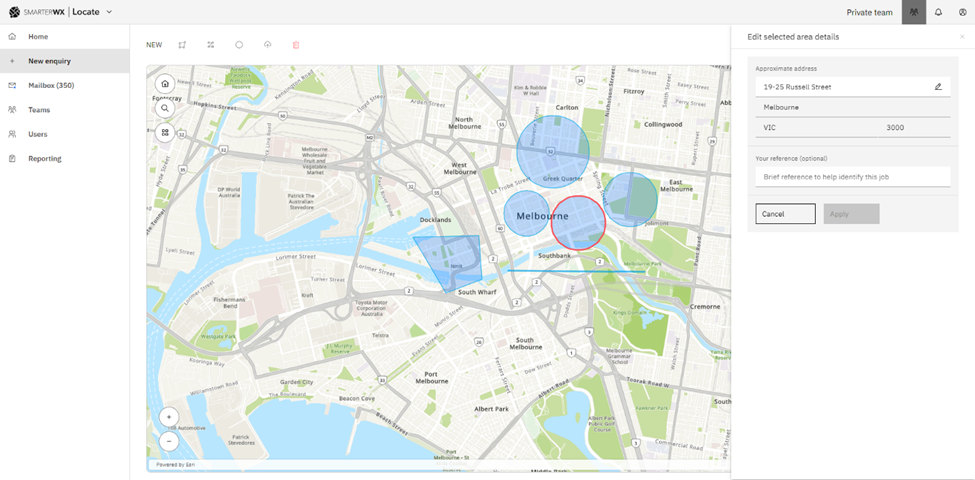
Note: If you do not provide a specific user reference for the polygon, SmarterWX Locate will use the dig site address as the default value.
4. Fill in the BYDA enquiry form and lodge the enquiry. The details of the bulk enquiry will be displayed as shown below: